
How to Get More Gym Software Support in 5 Simple Steps


How to Get Better Gym Software Support
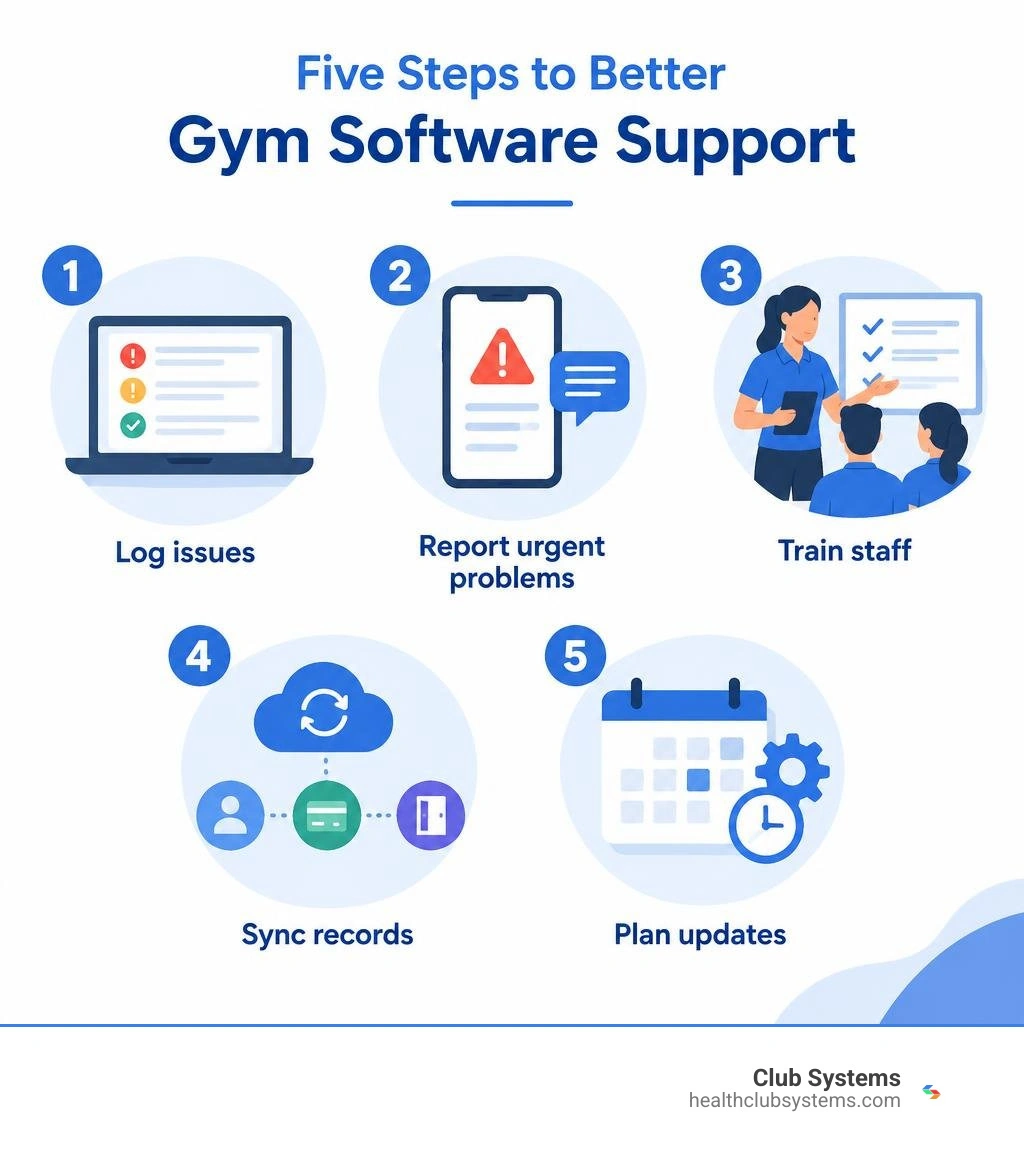
To get more from gym software support, use a simple plan:
- Log recurring problems, including failed payments and check-in errors.
- Report urgent issues through the fastest support channel available.
- Train staff to handle routine tasks and basic fixes.
- Check that membership, billing, and access records stay in sync.
- Plan updates and maintenance before busy hours.
This helps your team give support staff the details they need, resolve problems faster, and keep members moving when something goes wrong.
I’m Eric A. Speer, owner and CEO of Club Systems. I’ve worked with gym management tools since joining the company as a programmer in 1995, and that experience shapes how I think about practical gym software support.
Understanding the Impact of Gym Software Support on Operations
Running a fitness facility is a business. When systems run quietly in the background, your team can focus on motivating members, coaching classes, and keeping facilities clean. However, when software runs into a wall, daily operations can stall almost instantly.
Consider a typical 5:30 PM weekday rush. Dozens of members are walking through your doors, ready to work out after a long workday. If your barcode scanners fail, your turnstiles freeze, or your check-in portal crashes, a massive bottleneck forms at the front desk. Instead of welcoming members, your staff is stuck apologizing, frantically restarting computers, and manually writing down member numbers on scrap paper.
Technical friction does not just cause stress—it directly hits your bottom line. Check-in delays cause member frustration, POS glitches stall retail sales, and billing errors can trigger accidental cancellations. In fact, research shows that fitness centers using integrated management platforms experience a 25% increase in member retention rates compared to facilities relying on disconnected, manual setups. Furthermore, 70% of gym owners report that modern management software cuts administrative workloads by at least 10 hours each week.

When problems happen, the quality and speed of your vendor's help desk make all the difference. Understanding why exceptional tech support matters when choosing a gym software partner is essential for preserving member trust and protecting your recurring revenue. Over 60% of fitness business owners rank support response time as the single most critical factor when selecting a management platform. Without reliable assistance, small software glitches quickly spiral into costly operational disruptions.
How to Optimize Your Gym Software Experience in 5 Steps
Getting responsive, high-quality assistance from your technology partner requires an organized internal approach. By following these five practical steps, you can streamline troubleshooting, eliminate unnecessary help tickets, and keep your facility running at peak performance.
Step 1: Document Common Technical Issues and Bottlenecks
Support teams can solve technical problems much faster when you provide clear, specific details rather than vague bug reports. A ticket that says "the system is down" requires multiple back-and-forth messages just to diagnose the root cause. A ticket that includes error messages, affected member IDs, and exact timestamps allows technicians to dive directly into the fix.
Encourage your team to keep a shared digital log of any recurring hiccups. Common issues to track include:
- Access control mismatches: Key fobs or mobile barcodes failing at specific entry doors or 24/7 access points.
- Point-of-sale (POS) discrepancies: Card reader timeouts during retail checkouts or duplicate charges on beverage purchases.
- Class booking sync errors: Members getting dropped from class rosters or waitlists failing to promote automatically.
- Billing and collection exceptions: Recurring dues failing to process or member status flags not updating after a successful payment.
Careful documentation is also the best way to spot user error versus actual software bugs, helping your team in avoiding common gym management system mistakes before they escalate.
Step 2: Utilize Multi-Channel Gym Software Support Channels
Not every technical issue carries the same level of urgency. A frozen front-desk terminal during morning check-ins requires immediate intervention, while a formatting question about an end-of-month financial report can wait a few hours.
To get the fastest resolution, match your issue to the correct communication channel:
- Live Phone Support: Best for critical operational emergencies, such as total system outages, access control failure during unstaffed hours, or widespread payment processing interruptions.
- Direct Ticketing & Live Chat: Ideal for mid-priority questions, such as setting up a new promotional membership tier, updating staff permission levels, or troubleshooting hardware driver installations.
- Self-Service Knowledge Bases: Perfect for quick, routine tasks like resetting a member password, running standard attendance reports, or setting up holiday class schedules.
Connecting directly with dedicated technical support resources ensures your inquiries land with specialists who understand the mechanics of health club operations.
| Support Channel | Typical Response Speed | Best Use Case | Issue Complexity |
|---|---|---|---|
| Direct Phone Line | Immediate (Live Agent) | System outages, gate lockouts, payment gateways down | Critical / Urgent |
| Live Chat | Under 5 minutes | Front-desk navigation, quick member profile edits | Low to Moderate |
| Help Desk Ticket | 1 to 4 hours | Custom report generation, hardware reconfiguration | Moderate to High |
| Knowledge Base | Instant (Self-Serve) | Basic navigation, onboarding guides, password resets | Low |
Step 3: Train Staff to Reduce Basic Gym Software Support Requests
A significant portion of help desk tickets are triggered by everyday operational oversights rather than system glitches. When staff members lack thorough training, simple tasks like updating an expired credit card or overriding a guest pass can lead to confusion and unnecessary support requests.

Invest in regular, structured training sessions for all front-desk workers, personal trainers, and shift managers. Your onboarding curriculum should cover:
- Step-by-step member check-in and manual lookups.
- Adding payment methods and running point-of-sale transactions.
- Basic hardware troubleshooting (e.g., power-cycling receipt printers, checking network cables, and clearing browser cache).
- Updating member profiles and managing contract freezes.
Prioritizing staff education and updating software for employee productivity builds team confidence and frees your managers to focus on business growth.
Step 4: Streamline Integrations with Access Control and Billing
Disconnected software tools create administrative chaos. When your member database, payment processor, and 24/7 access control hardware live on separate platforms, data discrepancies are inevitable. A member might pay their delinquent balance online, yet find themselves locked out of the facility at 9:00 PM because the door controller failed to sync.
Integrating your membership management, turnstile access, and billing into a single ecosystem eliminates these manual data handoffs. Automation ensures that membership status changes immediately reflect across your entry points. Furthermore, facilities utilizing integrated, automated billing solutions reduce payment-related support tickets by 40%, preventing unnecessary friction between your front desk and your members.
Step 5: Implement Proactive System Maintenance and Updates
Software maintenance is not something you should think about only after a crash occurs. Proactive care ensures your gym management tools remain fast, secure, and compliant with modern data protection standards.
Work with your provider to establish a regular maintenance cadence:
- Schedule updates during off-peak hours: Run major software updates late at night or during your facility's slowest window to avoid front-desk interruptions.
- Review automated data backups: Ensure your member records, financial transactions, and waivers are backed up securely to the cloud on a daily basis.
- Audit hardware connections: Regularly inspect barcode scanners, RFID readers, and receipt printers for wear and tear.
Recognizing the top reasons to invest in a gym management software upgrade allows you to leverage newer features, modern security patches, and improved user interfaces that keep your business running smoothly.
Key Support Features to Look for in a Fitness Platform
As the gym management software market expands—projected to reach $4.5 billion globally by 2030—fitness facility owners have numerous technology choices. However, software features are only as good as the team standing behind them.
When evaluating software providers, make sure their service model includes:
- US-Based, Real-Person Support: Speaking directly with an experienced technician who understands the fitness industry resolves complex problems far faster than navigating automated phone trees or overseas call centers.
- Reliable Emergency Availability: Health clubs operate early in the morning, late at night, and over weekends. Your software partner must offer accessible help during non-standard hours.
- Integrated Financial & Dues Services: Platforms that combine software with specialized full-service billing, cash-discount processing, and high-collection dues management simplify operations by giving you one dedicated contact point for both technical and financial inquiries.
- Transparent Pricing Structures: Partnering with a provider that offers predictable flat-fee software pricing protects your bottom line from unexpected per-member penalties or surprise support fees as your facility expands.
Frequently Asked Questions About Gym Software Support
How quickly should gym software support resolve peak-hour outages?
Critical outages affecting front-door access or point-of-sale checkouts require immediate live-agent response. A dependable provider should offer phone-based emergency assistance within minutes during high-traffic operational windows to keep your members moving. For a deeper breakdown of system fundamentals, explore our gym management software FAQ essentials.
How do automated billing integrations reduce support tickets?
Automated billing platforms handle recurring payments, retry failed cards using smart logic, and send automatic account balance updates directly to members. By automating collections and card updates, your front desk avoids manual payment entry errors and slashes billing dispute inquiries by up to 40%.
What is the difference between proactive and reactive software support?
Reactive support responds after something breaks—such as troubleshooting a frozen database or recovering lost records after a crash. Proactive support prevents issues before they happen through regular cloud backups, automated security patches, network health monitoring, and off-peak system updates.
Conclusion
A reliable software platform is the central nervous system of any successful fitness facility. From handling 24/7 access control and class bookings to processing recurring dues and retail sales, your technology keeps your club running efficiently. When technical roadblocks occur, having access to swift, knowledgeable, real-person support ensures your daily operations never miss a beat.
By documenting recurring errors, utilizing the right help channels, training your staff, and investing in an integrated platform, you can eliminate operational headaches and deliver an exceptional experience to every member who walks through your doors.
Ready to experience management software backed by dedicated, US-based experts? Take a moment to connect with Club Systems for dedicated gym support solutions and see how our integrated tools can streamline your club's operations.
Tired of Struggling with Your Gym's Software?
Simplify your operations, save money, and get the support you need with Club Systems.